
IndustriesTrucking and oil field services
AI and automation for trucking and oil field crews, from the field ticket to the invoice.
Alpine Ops helps hauling companies and oil field service crews in the Uintah Basin get field tickets, load tickets and driver hours out of the truck and into billing and payroll without retyping them. We start with the dispatch and accounting systems you already use, and a person checks anything the system isn't sure about.
Free. 30 minutes. No obligation.
| Ticket | Unit | Status |
|---|---|---|
| 2291 | Truck 4, water haul | Entered |
| 2292 | Truck 2, rig move | Hours unclear |
| 2293 | Crew 3, roustabout | Entered |
| 2294 | Truck 6, frac sand | Invoice drafted |
01Where the time goes
Paper in the truck, typing in the office.
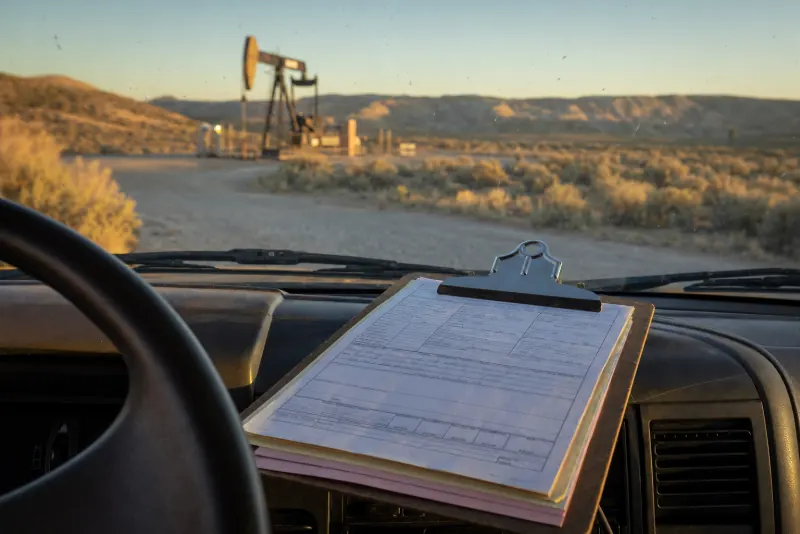
A ticket is written once in the field and then copied again and again: into the tracker, into billing, into payroll and into the month-end numbers. Every day it rides in the truck is a day it isn't billed.
- Field tickets
Written at the location, carried for days
Signed on paper at the location, then carried in the truck for days before the office ever sees them.
- Load tickets
Typed in, then typed again
Entered in the job tracker, typed again to bill the customer, and the hours copied a third time into payroll.
- Driver and crew hours
Called in, texted, written down
Hours arrive by phone call, text and scrap of paper, and get added up by hand at the end of the pay period.
- Dispatch
A whiteboard and "where you at?"
Who's on which job lives on a whiteboard and in dispatch's head, and every status question is another phone call.
- Customer formats
Every customer wants it their way
Different customers want different ticket details, codes and invoice layouts, so each one gets built by hand.
- Month-end
Numbers pulled from three places
Revenue by customer, unit and crew gets pieced together from the tracker, billing and a spreadsheet, usually late.
02Example workflow
One week of field tickets, before and after.
A made-up hauling and field service company with six trucks, step by step. The steps are typical. The hours are illustrative, and the $500 analysis finds yours.
| Step | Before | Hours | After | Hours |
|---|---|---|---|---|
| Tickets reach the office | Carried in the truck and dropped off at the end of the week. | 0 h | Photographed at the location and sent once the phone has signal. | 0 h |
| Entered in the job tracker | Typed by hand from the paper ticket. | 6 h | Read from the photo. The office checks the few the system flags. | 1.5 h |
| Billed to the customer | Typed again into billing, in each customer's format. | 5 h | Invoice drafted from the same entry, in that customer's format. A person approves it. | 1 h |
| Payroll hours | Copied from tickets, texts and call-ins. | 3 h | Pulled from the same entry and checked. | 0.5 h |
| The weekly numbers | Added up by hand from three places. | 1 h | The Monday report builds itself. | 0 h |
| Office hours a week | 15 h | 3 h |
About 12 hours a week back, and tickets billed days sooner, in this example.Your numbers will be different. Finding them is what the $500 analysis is for.
03What we'd build
What we'd build for a hauling or field service company.
Every piece maps to one of our services and starts with the systems you already use. Once tickets are entered once, the numbers finally agree, and Monday morning looks like this.
| 2214, Truck 3 | 6 |
| 2230, Crew 1 | 4 |
| 2241, Truck 5 | 2 |
- AutomationTickets from a photoRead and entered for you. A person checks anything smudged or unclear.
- AutomationEntered once: tracker, billing, payrollOne ticket entry feeds every system that needs it.
- AutomationInvoices in each customer's formatDrafted from the ticket, approved by a person, sent sooner.
- AutomationA simple driver appLoads, hours and fuel logged from the phone a driver already carries.
- ReportingA Monday dashboardTickets, unbilled work and revenue by customer, unit and crew.
- AI phone answeringCalls answered when dispatch is slammedAfter hours or on a busy line, the caller gets an answer and you get a text.
04What fits, in what order
Start with the ticket. Everything else follows it.
For a hauling or field service company the ticket is the center of everything: billing, payroll and the numbers all come from it. So that's where we'd expect to start.
The analysis sets the real order for your business, and you choose what gets built. If something on this list isn't worth it for you yet, we'll say so.
- First
- AI consulting. The free consult, then the $500 analysis: we follow one ticket from the location to the paid invoice and count every time it's typed. With your okay, we record and transcribe it, so nothing is missed.
- Next
- Automation. Tickets from a photo, entered once, and invoices drafted in each customer's format. This is where the office hours come back.
- Then
- Reporting. Once every ticket is entered once, the Monday dashboard builds itself.
- If needed
- AI phone answering. If dispatch can't always pick up, calls get answered and you get a text.
- Ongoing
- Your AI department. Check-ins, everything kept working, new customer formats added, and upgrades as AI improves.
05Questions
Questions trucking and oil field owners ask.
Something not here? Call (801) 477-6186 and ask a real person.
See every question5.1Our crews work where there's no cell signal. Does that matter?
It matters, and we plan for it in the build. For example, a ticket photo can wait on the phone and send once the driver is back in range. We'd set it up around where your crews actually work.
5.2Each of our customers wants tickets and invoices their own way. Can it handle that?
Customer formats are a big reason billing takes so long. We set up each customer's format once, and the invoice is drafted in that format from the same entry. A person approves it before it goes out.
5.3Will drivers have to learn a new system?
As little as possible. In most builds a driver takes a photo of the ticket they already fill out, or taps a few fields in a simple phone app. We show them how at your yard.
5.4Do we have to replace our dispatch or accounting software?
No. We start with the systems you already use and connect them. If something truly can't do the job, we'll explain why before anything changes.
5.5Do you only work with oil field companies?
No. Oil field service is one kind of business we work with, alongside hauling, clinics, contractors, shops, restaurants and offices. The same problem, paper typed into two or three systems, shows up everywhere.
5.6What does it cost?
It starts with a free 30-minute consult and a $500 AI process analysis. A build is a fixed price, typically $2,500 to $15,000 depending on scope, and you know the exact price before any work starts.
Tickets riding in the truck all week? Pull up a chair.
Start with a free 30-minute consult, at your yard, your office or by phone. Bring a stack of tickets and tell us where they go next, and we'll tell you plainly what a build would look like.
Free. 30 minutes. No obligation.
- Call(801) 477-6186
- Emailadmin@alpineops.dev