
Your Google Business Profile is the free listing behind your spot on Google Maps and in local search results. For many local businesses it's the first thing a customer sees, often before your website.
- Claim and verify it, so you control it.
- Fill in every section: category, hours, holiday hours, services, service area, photos and description.
- Ask every customer for a review, and reply to all of them.
- Keep it matching your website, and look it over every month.
What is a Google Business Profile?
It's Google's free listing for your business. It shows your name, category, phone, hours, address or service area, photos, reviews and a link to your website. It appears on Google Maps, in the map and short list at the top of many local searches, and in the panel that shows up when someone searches your business by name.
You don't need a website to have one, and it costs nothing. Customers can also suggest edits to any business listing, which is one more reason to claim yours and keep an eye on it.
Why does it matter for calls and Maps?
Because it's often where the customer decides. When someone in Duchesne searches "tire shop near me" or "urgent care open now", Google usually shows a map and a short list of businesses before any websites. Each listing has a call button, directions and hours right there, and plenty of people call straight from that list.
Google says it ranks local results on three things: relevance (does your profile match the search?), distance (how close are you?) and prominence (how well known is your business, including reviews). You can't move your shop. You can make your profile complete, accurate and active, which is what relevance and prominence reward.
It matters for AI answers too. Assistants and Google's own AI summaries often draw on business listings and reviews when someone asks for a local recommendation. Our guide to GEO covers that side.
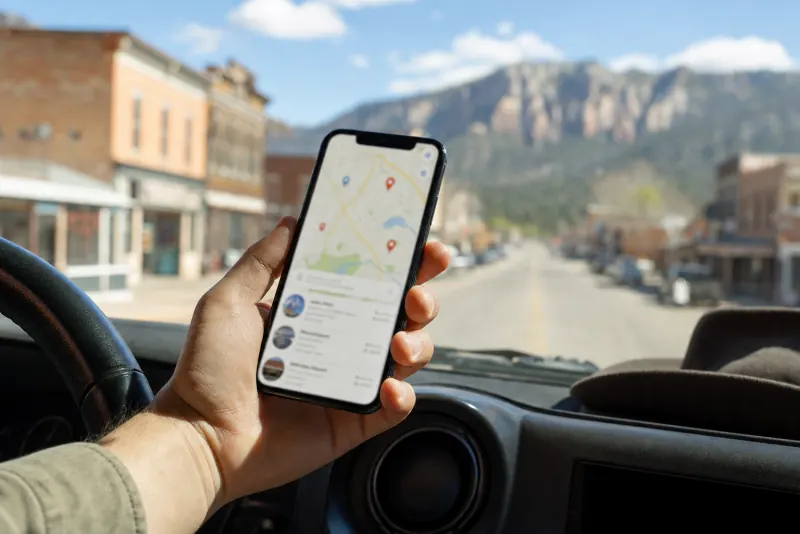
How do you claim and verify your profile?
Find your listing, claim it with an account the business controls, and verify it. Step by step:
- Search for your business on Google Maps. If a listing already exists, choose the option to claim it. If not, add your business through Google's Business Profile site.
- Sign in with a Google account the business owns, not a past employee's personal email.
- Verify. Google chooses the method, and it may be a phone call or text, an email, a short video of your location and signage, or a postcard by mail. It can take a few days.
- Add a second owner or manager you trust, so you're never locked out if one account goes missing.
If someone else already controls your listing, like a former employee or an old marketing company, Google has a process to request access. Start it early, because it can take a while.
What goes in a complete profile?
Every section you can honestly fill in. Work down this list once, carefully, and most of the job is done.
Checklist: setting up your profile
- Business name exactly as it appears on your sign and website. No added keywords: "Example Cleaners", not "Example Cleaners Best Dry Cleaning Vernal". Google's guidelines don't allow extra words in the name.
- Primary category, the most specific one that's true. "Pediatric dentist" rather than "Dentist", if that's what you are. This choice matters most.
- Secondary categories for other real lines of work, and only real ones.
- Regular hours for every day of the week.
- Holiday and special hours, set ahead of Thanksgiving, Christmas, the Fourth of July, Pioneer Day, hunting season closures and any day you close early.
- A phone number that's answered, or forwarded, during the hours you list.
- A website link to your home page, or to the right location page if you have more than one.
- Address or service area. Storefronts show the address. If you go to the customer, like plumbers, cleaners and mobile mechanics, set the towns you cover and hide your home address.
- Services or products listed by name, with a short plain description for each.
- Attributes that apply, such as a wheelchair accessible entrance or online appointments.
- A description in plain words: what you do, for whom, and where. Google limits the length, so lead with what matters most.
- Photos: your logo, a cover photo, the outside (so people recognize the building), the inside, and real work. A groomer's freshly trimmed dogs, a cabinet shop's finished kitchens, a cafe's actual breakfast.
How do you keep the profile active?
Add something real every so often, and answer what customers ask in the places Google reads.
- Posts. You can publish short updates, offers and events right on your profile: a seasonal special, new winter hours, a class schedule, a reminder to winterize sprinklers. They show customers you're open and paying attention.
- Fresh photos. Phone photos are fine if they're clear, well lit and real. Skip stock photos.
- Customer questions. Google has retired the public questions and answers section that used to sit on profiles, and increasingly answers customer questions with AI, drawing on your profile, your website and your reviews. So put the answers where it looks: if your profile and your website FAQ say plainly "yes, we take walk-ins", the answer has a good source.
How should you handle reviews?
Ask for them steadily, reply to all of them, and never fake them. Reviews are one of the clearest signals to customers, to Google and to AI assistants.
- Ask every customer, not only the ones you're sure loved you. Google's policies discourage picking and choosing. A short text with your review link after the job works well.
- Never buy reviews, write your own, or offer a discount in exchange. Google prohibits it, and it can break consumer protection rules.
- Reply to every review, good and bad, within a few days. Thank people for the good ones. For a bad one, stay calm, don't argue in public, and offer to make it right offline.
- Protect privacy. A clinic, counselor or law office should never confirm in a reply that the reviewer was a patient or client.
- Report reviews that break Google's rules, like spam or off-topic rants. Don't expect a review to come down just because it's unfair.
What are the most common mistakes?
Most problems we see are small, fixable and costing calls:
- Keywords stuffed into the business name.
- Holiday hours never set. A customer who drives in from Myton to a locked door remembers.
- An old phone number, or one that rings a cell nobody answers.
- The wrong primary category.
- A home address showing for a business that works at the customer's place.
- Duplicate listings left over from an old location or a previous owner.
- A profile that doesn't match the website: different hours, a different name or a different phone.
- Nobody owns it. It was set up years ago by someone who's gone.
How often should you update it?
Change it the same day anything changes, and give it a quick look every month.
Checklist: an upkeep rhythm
- Same day: any change to hours, phone, address, services or name. Change the website the same day too.
- Before each holiday: set special hours.
- As reviews come in: reply within a few days.
- Monthly: check for suggested edits, add a photo or a post, and make sure everything still matches your site.
- Yearly: run this whole checklist again, and search your business name to catch old listings elsewhere.
Treat your website and your profile as one set of facts. When they agree, customers trust them, Google can make sense of them, and AI assistants have less to guess about.